

What the billing page shows
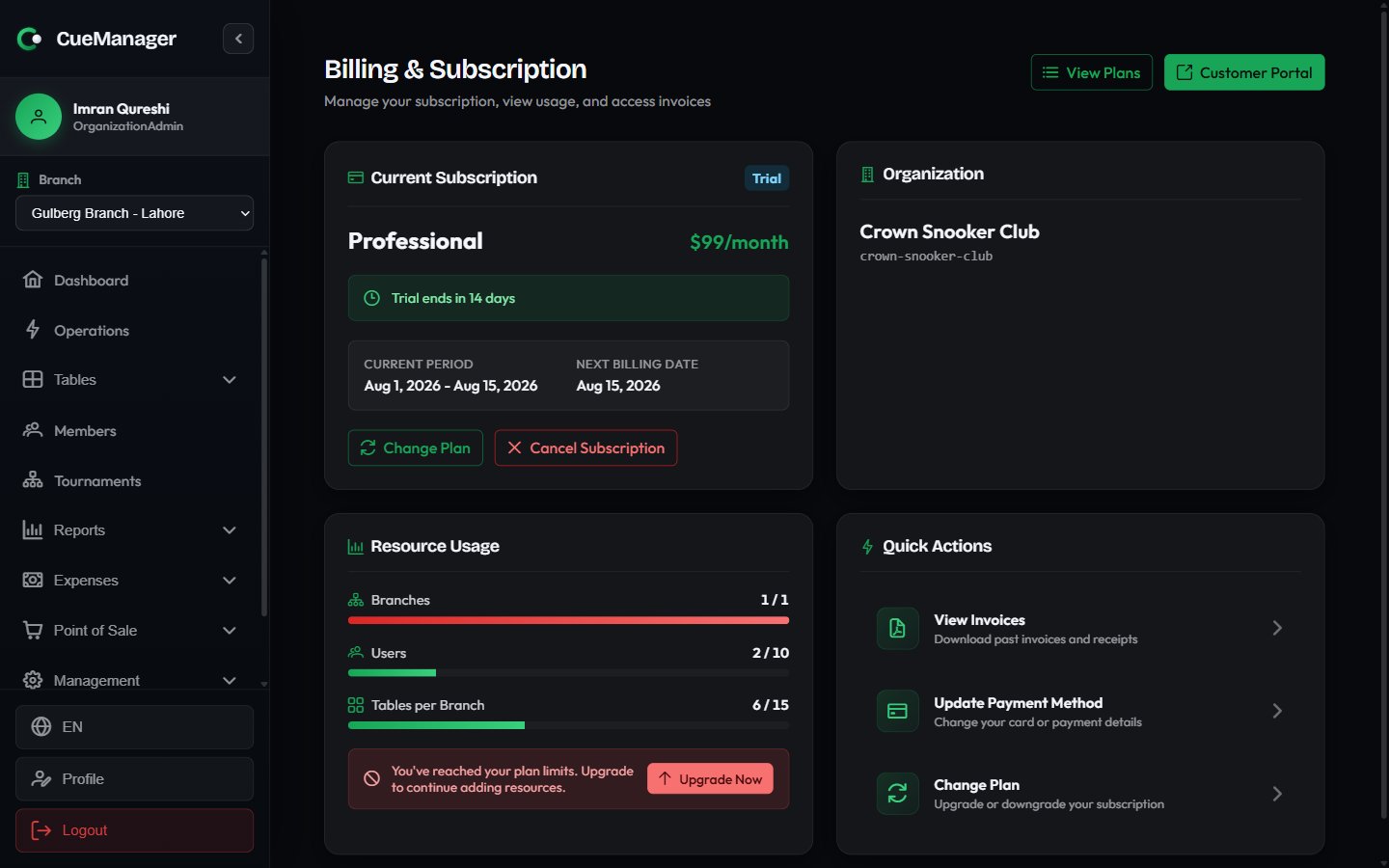
Billing and subscription: current plan, organization, and usage against your plan limits
Statuses on the subscription tag:
Usage bars fill as you add branches, staff, and tables. At around the limit you get You’re approaching your plan limits with an Upgrade button, and once a limit is hit, You’ve reached your plan limits — further branches, users, or tables are blocked until you upgrade. A limit shown as Unlimited has no cap.
Change your plan
Select View Plans or Change Plan to open Choose Your Plan. Switch the toggle between Monthly and Yearly (Save 17%) to compare, then choose a plan card. The button reads Upgrade, Downgrade, Current Plan (disabled), or Contact Us for custom plans.1
Upgrading bills immediately
A Confirm Plan Change dialog explains that the change is prorated and charged to your card immediately. The new limits apply as soon as it goes through.
2
Downgrading waits for the period end
A Schedule Plan Change dialog explains there is no charge today, and you keep your current plan and features until the end of the current billing period.
3
Undo a scheduled downgrade
While a downgrade is pending, the billing page shows Scheduled: your plan changes to X on DATE with a Keep current plan button that cancels it.
If you are still on a trial or your subscription has lapsed, choosing a plan asks you to pay first rather than switching the plan straight away. Where card payment is available you go to Stripe Checkout; otherwise a Pay for PLAN dialog shows the bank and wallet details — see Pay by bank transfer or mobile wallet.
Pay by bank transfer or mobile wallet
Most clubs pay for CueManager by bank transfer, JazzCash, or Easypaisa. The Pay by bank transfer or mobile wallet card on the billing page — and the dialog that opens when you choose a plan — shows the account title, bank, account number, IBAN, wallet number, and your club’s Payment reference (for exampleCM-42). Use the copy buttons next to the reference, account number, and IBAN to avoid typos.
1
Transfer the plan price
Send the price of your plan to the account shown. Prices are listed in US dollars; if you pay in rupees, message us first for today’s PKR amount — for example, the Professional plan at $79/month.
2
Quote your payment reference
Write your payment reference, such as
CM-42, in the transfer note so the payment can be matched to your club.3
Send the receipt
Choose Send receipt on WhatsApp (the message is pre-filled with your reference and plan) or Send receipt by email, and attach the screenshot or bank slip.
4
Wait for activation
Once the payment is confirmed, your plan is activated for the period you paid for and the payment appears under Billing → Invoices with the Manual provider. If you renew early, the new period starts when the current one ends, so you never lose paid days.
Cancel, keep, or reactivate
Cancel Subscription sits on the Current Subscription card and asks for confirmation. After you cancel, a banner reads Subscription will end on DATE with a Reactivate button. Reactivating before that date keeps everything running without interruption. Once the period has passed, the card offers Re-subscribe, which takes you back to the plan list.Payment method and invoices
Customer Portal appears only where you pay by card. It opens Stripe’s hosted portal in a new tab, where you update your card, billing address, and receipt email. The same portal is behind Update Payment Method in Quick Actions and behind Update Payment on the past-due banner. CueManager never handles your card details directly.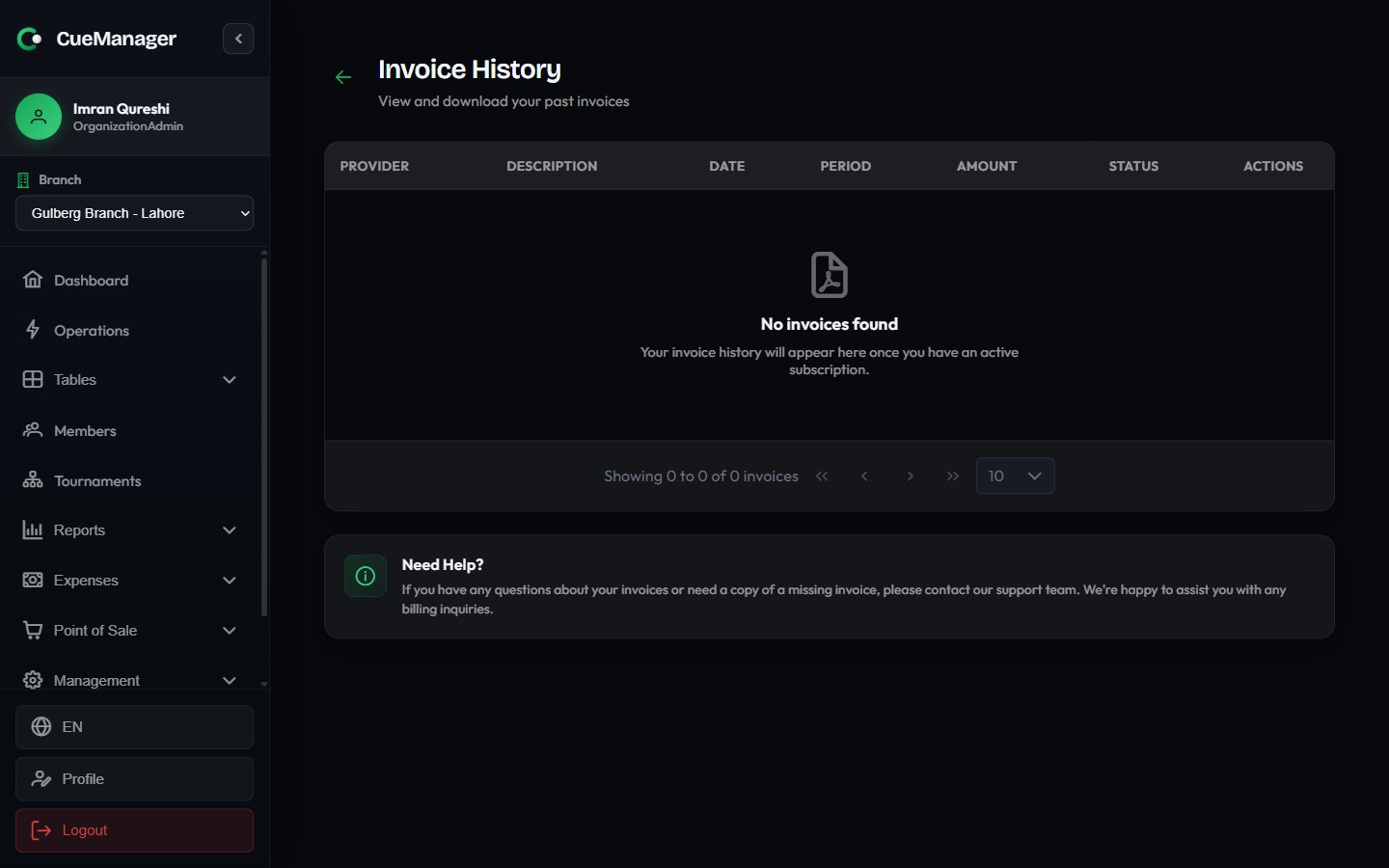
Invoice history, with each charge, its period, and a PDF download
Clubs on a plan paid by bank transfer see Your plan is paid by bank transfer. To renew, use the payment details below. in place of the portal and plan-change buttons. To change plan, message us with your payment reference. Their payments appear in the invoice list under the Manual provider.
Related
- Create your club and the onboarding wizard — where the trial plan is chosen
- Branches and Users and roles — the resources your plan limits count
- Membership plans — the plans you sell to members, billed inside your club
- Checkout and payments — how your players pay you, which is separate from how you pay for CueManager