

Roles
OrganizationAdmin is assigned automatically to whoever registers the club and is not offered in the Role dropdown. SuperAdmin is only offered when the signed-in user is themselves a SuperAdmin. Every role except SuperAdmin must be given a Branch.
Modules and actions
Fine-grained access is a matrix of modules against four actions: View, Create, Edit, and Delete.
Two rules are enforced in the matrix as you edit it:
- Unchecking View for a module automatically unchecks Create, Edit, and Delete for it.
- Checking Create, Edit, or Delete automatically checks View.
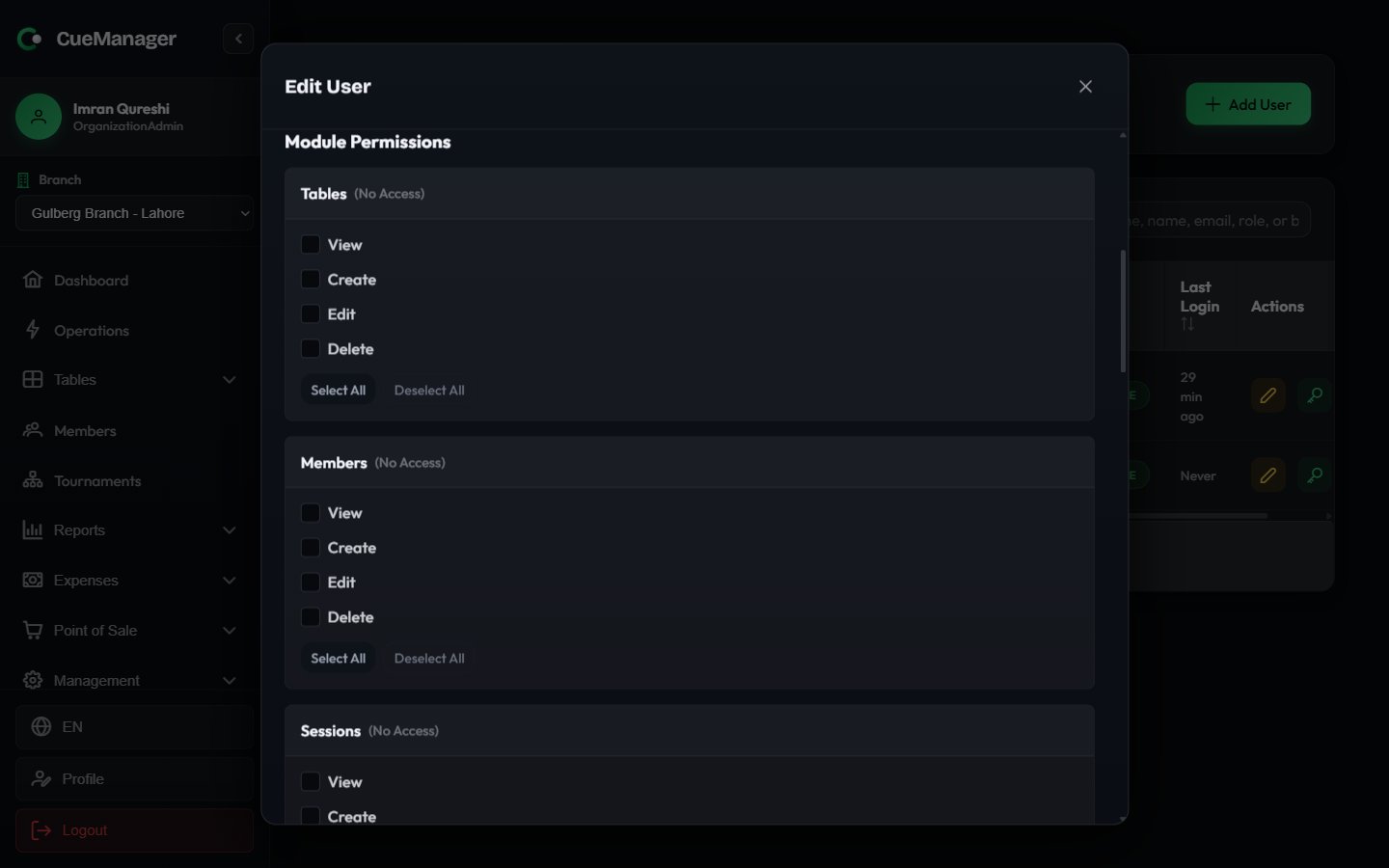
The permission matrix on a user, with per-module View / Create / Edit / Delete
Default access per role
Choosing a role in the Role dropdown loads that role’s defaults into the matrix. “Full” means all four actions.Effective access
A user’s real access is the matrix saved on their account, not their role name. The role only supplies the starting point.1
Pick the role
The matrix is filled with that role’s defaults.
2
Adjust the matrix
Tick or untick anything. A FrontDesk user who also runs the till, for example, can be given POS View and Create without changing their role.
3
Save
From then on, the saved matrix decides what that user sees. Sidebar entries, pages, and action buttons all appear or disappear according to it, and the server enforces the same rules on every request.
Areas outside the matrix
Some areas are not module-gated and are governed by role alone.
The Users and roles page walks through creating a staff account. Subscription and plan limits are covered in Subscription and billing.
Branches and roles
A SuperAdmin sees every branch and can switch between them with the branch selector. Every other role is tied to the branch on their account and only sees that branch’s tables, sessions, members, and reports. See Branches for how multi-branch clubs are set up.Related
Users and roles
Create staff accounts and edit their permissions.
Branches
Per-branch tables, rates, and staff.
Subscription and billing
Owner-only plan, usage, and invoices.
Offline and real-time
What every role can do when the connection drops.