

The member list
Member Management lists everyone registered in your club, with a search box above the table that matches on name, phone, CNIC, or email.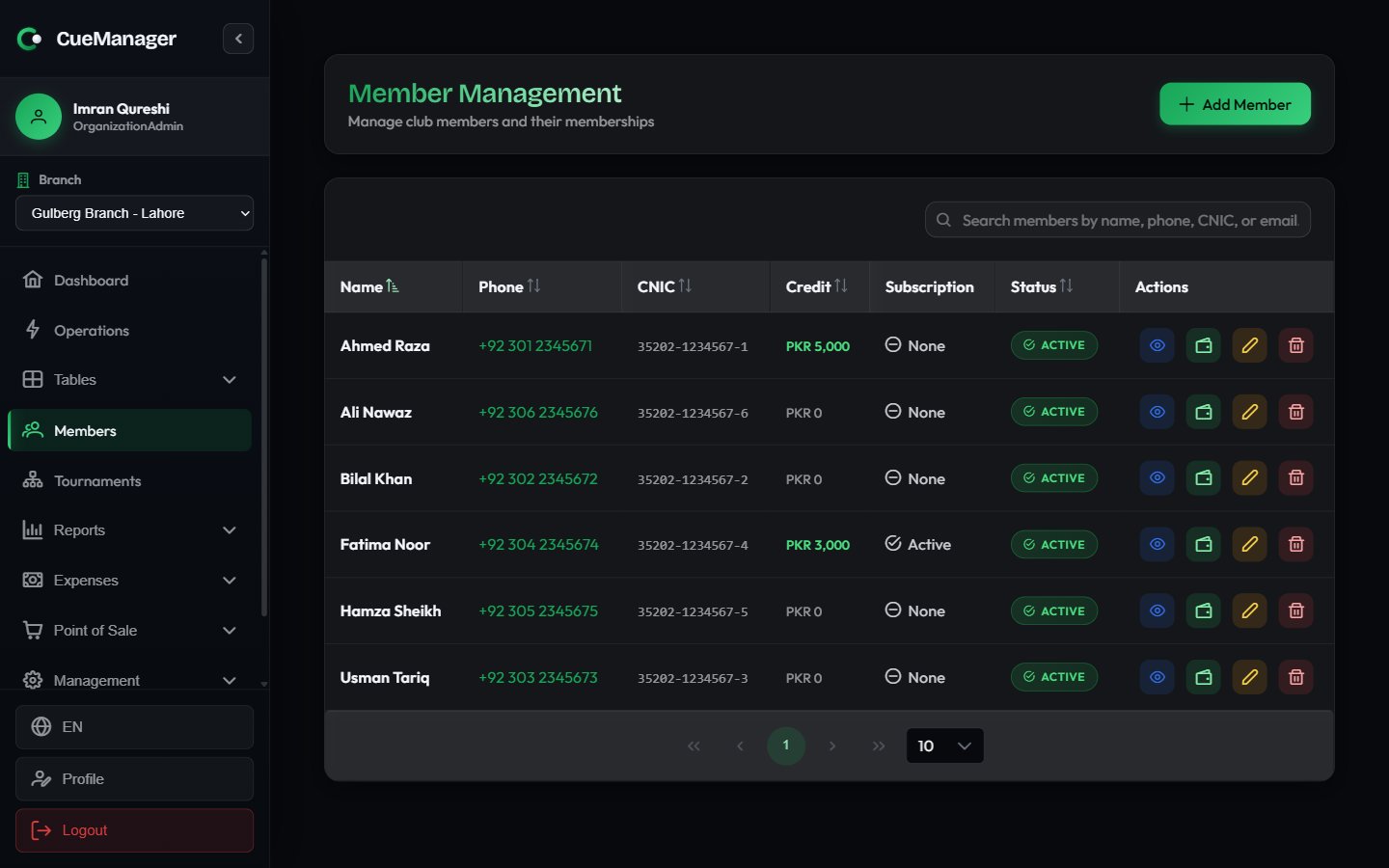
The member list at Crown Snooker Club
Each row has four actions: View Profile, Top up credit, Edit Member, and Delete Member.
Members belong to the organization, not to a single branch. A member registered at Gulberg Branch can play and pay at any of your branches.
Creating a member
1
Open the form
Click Add Member in the page header. The Create Member dialog opens.
2
Fill in the required fields
Member Name, Phone Number, and CNIC Number are required. CNIC uses the
12345-1234567-1 format and the field masks your typing to match.3
Add optional details
WhatsApp Number, Email Address, Emergency Contact Name, Emergency Contact Phone, Date of Birth, and Address are all optional. A WhatsApp number lets you send payment reminders from the Member balances report.
4
Save
Click Create Member. The member appears in the list immediately and is selectable in the session start dialog, the POS terminal, and customer tabs.
The member profile
Click View Profile on any row to open the full record. The header shows the member’s name, phone, email, and CNIC, an Active Subscription tag when a plan is live, and two buttons: Recharge Credit and Edit.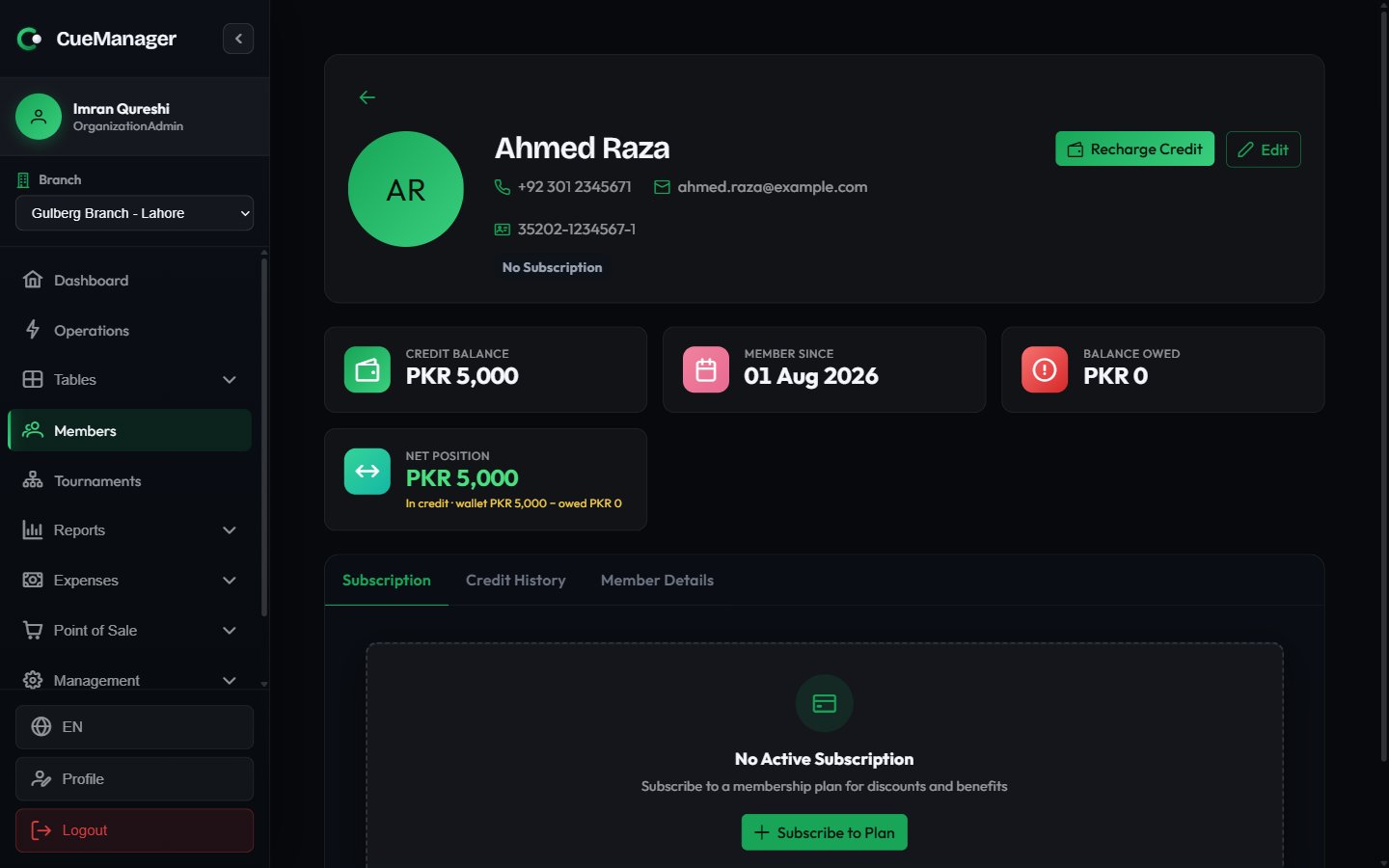
A member profile with wallet balance, balance owed, and net position
Portal PIN sets the 4-to-6-digit PIN this member uses to sign in on their own phone after scanning a table QR. Setting it again also unlocks an account locked by failed attempts and signs out any phone already signed in as that member. See The player app.
Below the cards, four tabs hold the detail:
- Subscription — the current membership plan, renewal date, subscription history, and payment history. Covered in Membership plans.
- Credit History — every wallet transaction with date, type, amount, balance after, description, and expiry. Covered in Wallets and credit.
- Stats — the member’s playing record: frames won and lost, win rate, sessions played, highest break, and a breakdown by game type. Covered in Club leaderboard & player stats.
- Member Details — the full contact record, including WhatsApp, date of birth, address, and emergency contact.