

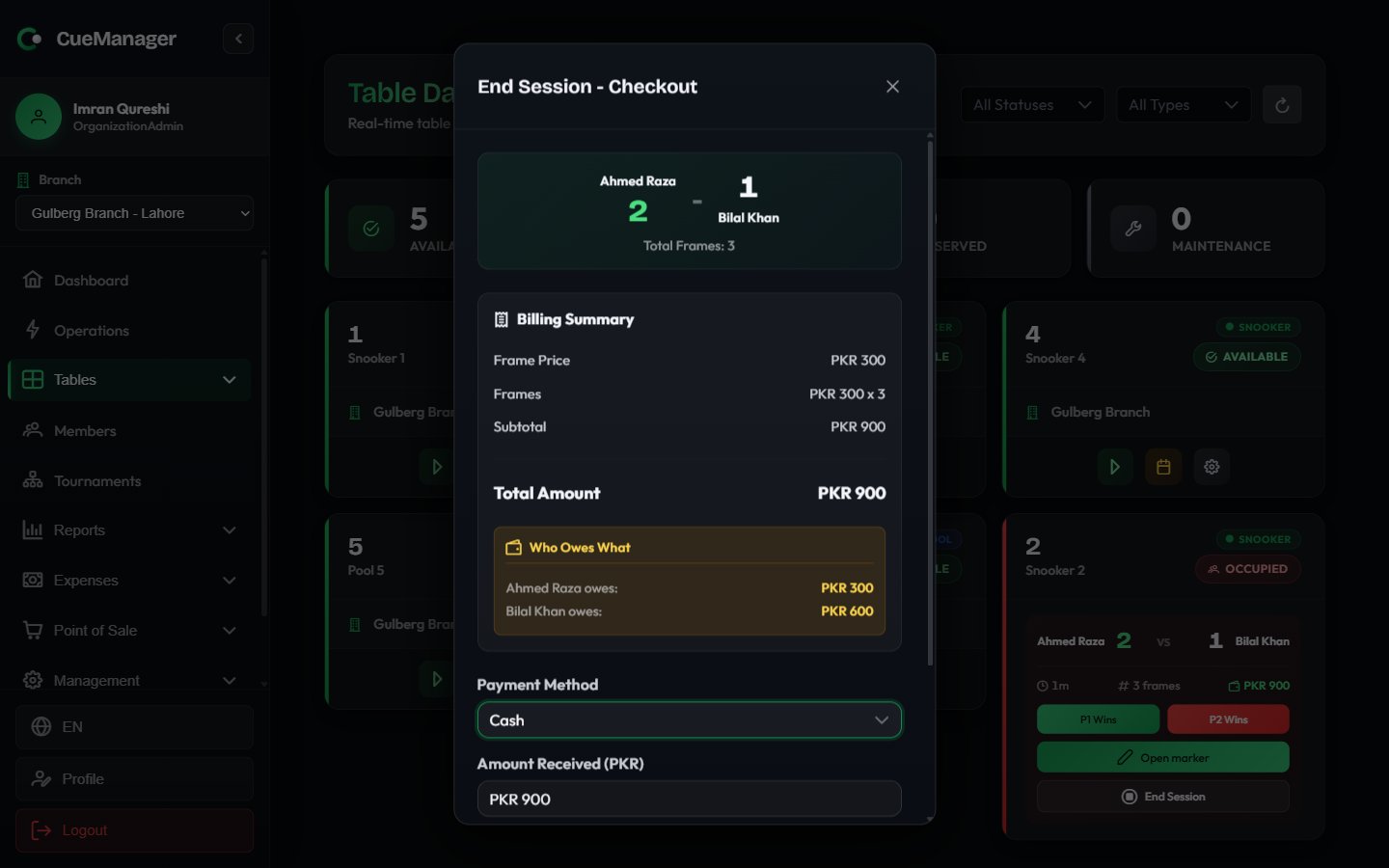
Checkout for a frame session, showing who owes what
Reviewing the bill
The top of the dialog repeats the session: the players or teams, Total Frames, and Duration. Below that, the Billing Summary is itemised according to how the session was priced.
Then come Subtotal, any Member Discount, and Total Amount. Sales already paid at the POS for this table are listed under POS Charges (already paid) with a Paid tag — they are shown for context and are not added to what is due.
Who owes what
For frame-priced sessions the dialog adds a split, because the loser of each frame pays for that frame.- Singles shows Who Owes What — one line per player, for example “Ahmed Raza owes: Rs 1,500”.
- Doubles shows Team Split (Loser pays, split equally) — each team’s players listed with their half of what the team lost.
-20% next to their share, and their amount is already net of it. A player on a 100% free-play plan shows Rs 0 while everyone else at the table still pays.
The split tells you what each person owes. The payment you record below is a single settlement for the table — collect each player’s share, then enter the total you took.
Taking payment
Pick a Payment Method, enter the Amount Received, add optional Notes, and choose Complete Payment. A printable receipt opens straight after.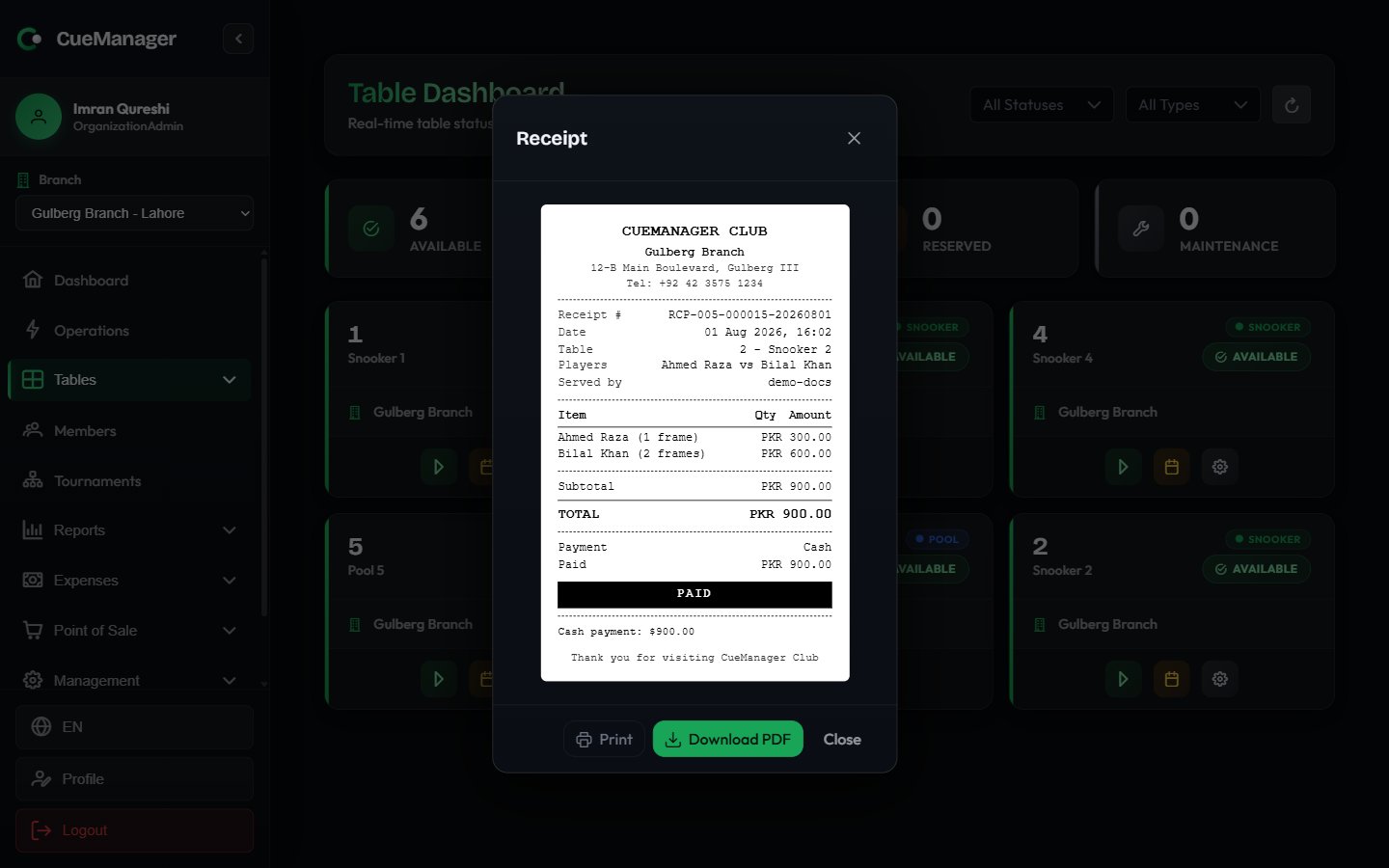
The receipt itemizes each player's frames and can be printed or downloaded as a PDF
If you type more than the bill, a note appears telling you the amount to record and to hand back the difference as change.
Paying from a member’s wallet
Credit (Member Wallet) settles against the balance a member has topped up in advance. The amount is debited from their wallet when you complete the payment. Top-ups and balances are covered in Wallets and credit.Putting the bill on a tab
If the branch runs open tabs, tick Add to tab (pay later). The action button changes to Add to Tab and a Charge to selector appears:
Nothing is collected now. The charges sit on the tab until it is settled — see Customer tabs.
Cancelling instead of charging
Cancel Session closes the session without charging anything.Offline checkouts
You can check out with no connection. The bill is worked out on the device and clearly labelled Estimated — offline, and the table stays on the board as Ending — pending sync until the server confirms it. If frames recorded on the device have not synced yet, the estimate is labelled Estimated — waiting on earlier work. When the queue drains, the server recalculates the bill. If it disagrees with what you charged — for example because another till recorded a frame in the meantime — the checkout is held for review on the sync-issues page rather than being settled at a number nobody agreed. See Offline and sync.Related pages
- How billing works — how the totals are calculated
- Customer tabs — running bills and settling them
- Wallets and credit — prepaid member balances
- Membership plans — discounts and free play