

Pricing modes
You pick the pricing mode when you start a session, under Advanced options in the Start Session dialog.Time-based rounding is always upward. A session that ran 1 hour 5 minutes on Per Hour bills 2 hours; a session that ran 44 minutes 20 seconds on Per Minute bills 45 minutes.
Billing types
Billing Type appears only for Per Hour and Per Minute sessions — frame sessions have nothing to pre-pay.Frame billing rules
Frame pricing is the model most snooker clubs run on, and it has two rules.1
The loser of each frame pays for that frame
Every recorded frame is charged to the side that lost it. A player who wins every frame owes nothing.
2
Doubles costs twice the singles rate, split within the team
A Doubles (2v2) session charges 2x the Base Frame Price, and the losing team’s charge is split equally between its two players. Teams are Player 1 with Player 3 against Player 2 with Player 4.
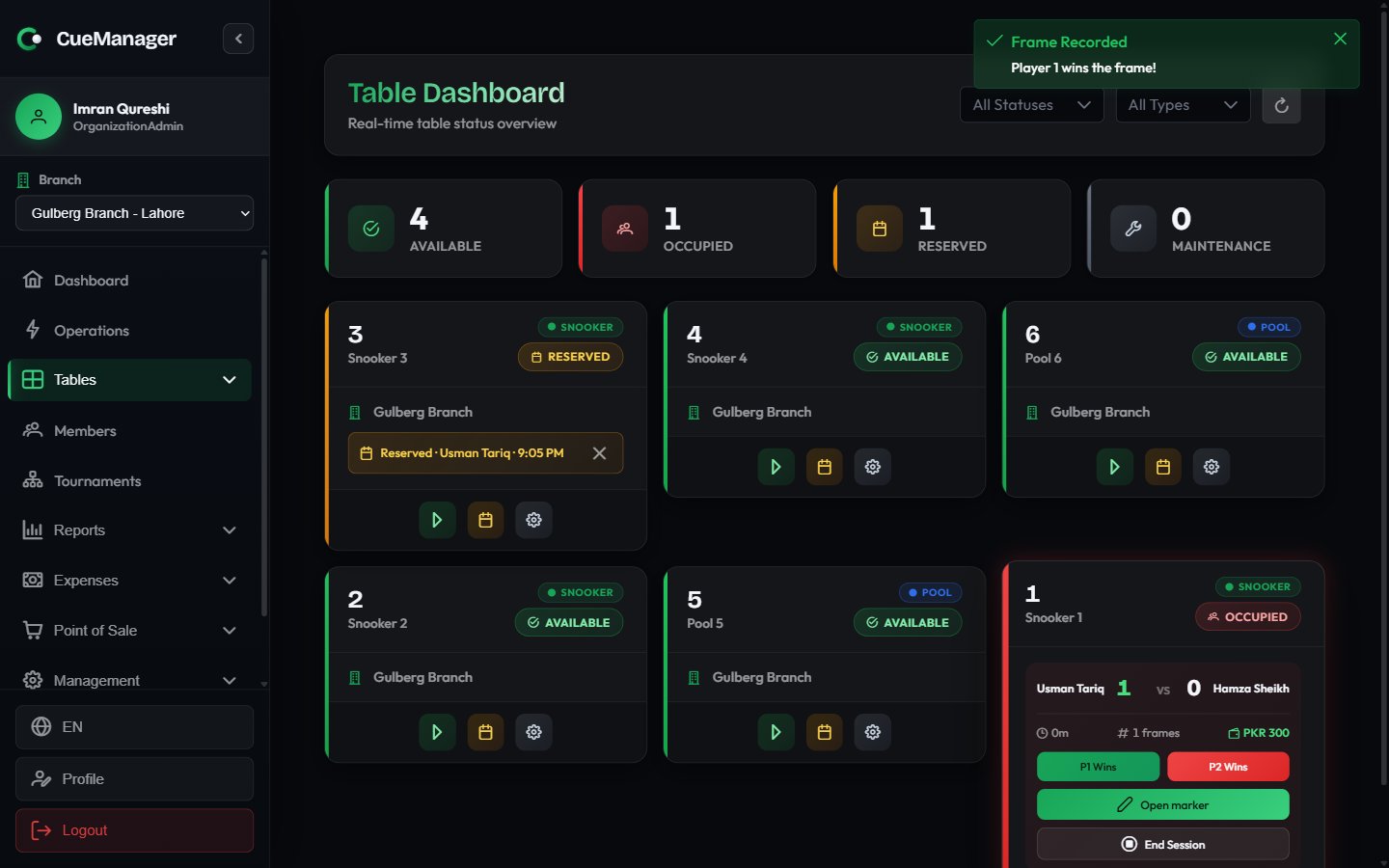
Recording a frame winner — the moment the frame is charged
Where rates come from
Rates live on the branch, not on individual tables.1
Branch defaults
Each branch has Pricing Rates — Rate Per Frame, Rate Per Hour, and Rate Per Minute. These apply to snooker tables. See Branches.
2
Pool table rates (optional)
Pool Table Rates on the same form let you charge pool tables differently. Leave them blank and pool tables charge the same as snooker tables.
3
Session override
When you start a session, Base Frame Price is pre-filled from the branch rate for that table’s type. You can change it for this one session — for a promotion, a regular, or a private booking. Hourly and per-minute rates are not editable at session start; they always come from the branch.
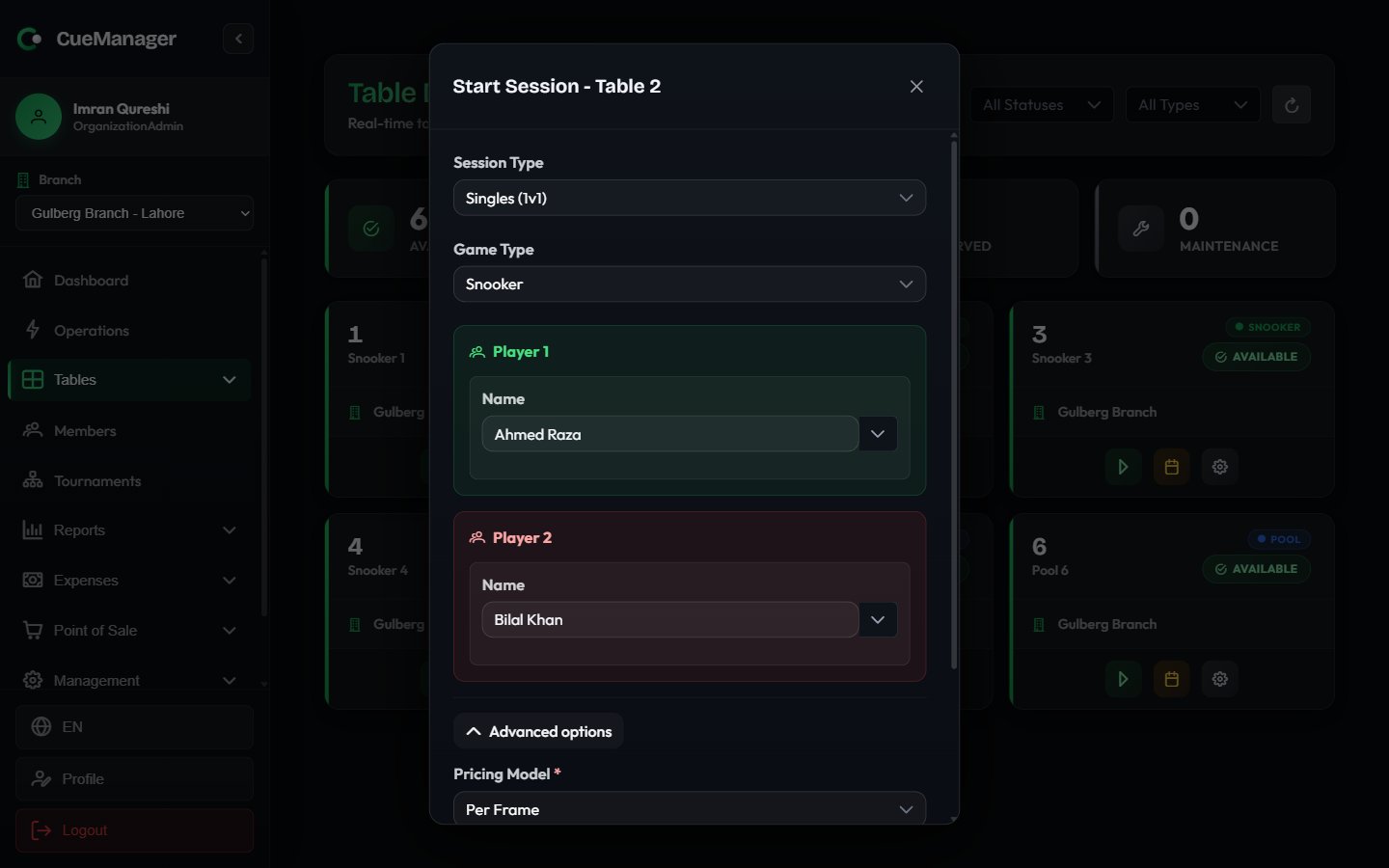
The Start Session dialog — Advanced options holds the pricing mode, billing type, and rate
Member discounts
If a player is a registered member on a membership plan, the plan’s discount applies to that player’s share only — not to the whole table. A plan set to 100% is free play for that member, while everyone else at the table still pays in full.POS items on a session bill
When you ring up a sale at the POS terminal and attach it to a running table, it appears at checkout under POS Charges (already paid) with a Paid tag. It is shown so staff can see the table’s whole spend, but it is not added to the amount due — that sale was already settled at the till. To let a customer defer canteen items instead, use Add to Tab at the POS. Those charges land on a customer tab rather than on the session bill.Where the money is collected
At End Session - Checkout you get the itemized bill, a Who Owes What breakdown per player, and two ways to close it out.- Complete Payment — take payment now. Choose a Payment Method (Cash, Card, JazzCash, Easypaisa, Raast, Bank Transfer, or Credit from a member’s wallet), then enter Amount Received.
- Add to Tab — post the charges to an open customer tab and settle later. Under Charge to you can send everything to Each player’s own tab, to One tab, or split it Per player.
Worked example
Crown Snooker Club, Gulberg Branch. Snooker 2 runs on the branch rate of Rs 500 per frame. Singles. Ahmed Raza plays Bilal Khan over seven frames. Ahmed wins 4, Bilal wins 3.
Ahmed is on the Gold Member — 20% off plan, so his share becomes Rs 1,200 and the session total is Rs 3,200. Bilal is a walk-in and pays the full Rs 2,000.
Doubles. Same table, same base rate, run as Doubles (2v2): the effective price is Rs 1,000 per frame. Team 1 loses 3 frames, so the team owes Rs 3,000 — Rs 1,500 from each of its two players.
Hourly. A Per Hour session at Rs 800 per hour that ran 1 hour 10 minutes bills 2 hours, or Rs 1,600, split evenly at Rs 800 per player.
Related
Starting a session
Game type, players, and pricing at the table.
Checkout and payments
Split payments, tenders, and receipts.
Membership plans
Discounts and free play for members.
Customer tabs
Running bills settled at the end of the night.