

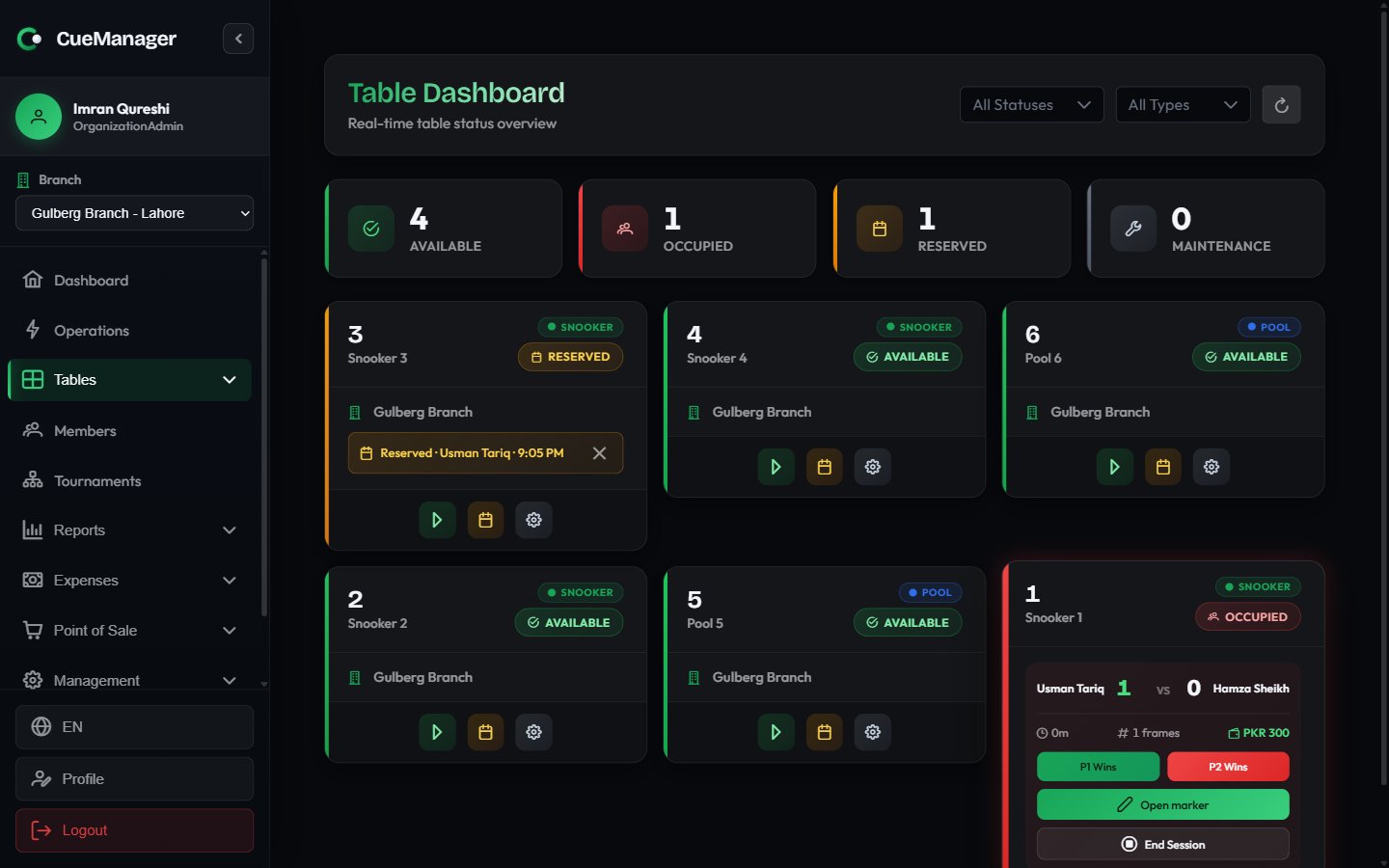
The table dashboard for Gulberg Branch
Reading the board
Across the top, four counters show how the branch is doing right now: Available, Occupied, Reserved, and Maintenance. Below them is the card grid.
The status on a card is worked out live, not just read from the table record: a table with an active session always reads Occupied, and an otherwise-available table with a booking today reads Reserved. The counters and the status filter use the same rule, so they always agree with the cards.
Each card carries the table number, its optional name, a type badge (Snooker or Pool), the status badge, and — on tables paired with a camera — a small camera chip. The chip reads Camera offline when automatic frame-end detection is not working for that table.
Filtering the grid
The header has a status filter (All Statuses), a type filter (All Types), and a refresh button. If you are a SuperAdmin, an extra All Branches filter appears so you can narrow the board to one branch. Every filter clears back to “all” with the small x.Filters change what the grid shows, but the four counters always describe the whole branch you are looking at.
What clicking a table does
An idle card has three buttons.Start Session
Opens the start dialog for that table. Enabled only while the table is Available. See Starting a session.
Reserve
Opens Reserve Table to hold the table for a customer. See Managing tables.
Change Status
Opens Change Table Status — pick a new status and choose Update. Use it to put a table into Maintenance and back.
Real-time behaviour
The board is connected to the server over a live channel, so you do not need to refresh it:- A card pulses briefly whenever its table changes on another device.
- Session timers, frame scores, and running totals move on every screen showing the branch.
- Camera chips flip between online and offline as the camera service reports in.
Related pages
- Managing tables — add tables, set types, take bookings
- Starting a session — the start dialog, step by step
- How billing works — frame, hourly, and per-minute pricing
- Roles and permissions — who can change table status