

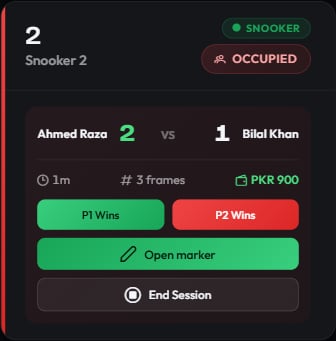
An active singles session on Snooker 1
What the panel shows
The leading player or team is highlighted, so a glance tells you who is ahead.
Recording a frame result
Frame-priced sessions get two buttons under the score: P1 Wins and P2 Wins (Team 1 Wins and Team 2 Wins in doubles). Press the one matching who took the frame. Each press records a completed frame, adds it to the score, and charges it — to the loser. That is the core of the frame model: the player or team who lost the frame pays for it. In doubles the frame costs twice the singles rate and the losing pair splits it equally.For a branch rate of Rs 500 a frame, a singles frame adds Rs 500 to the loser’s share, and a doubles frame adds Rs 1,000 split as Rs 500 each. The full arithmetic is in How billing works.
Live frame alerts
When a frame ends, staff anywhere in the club get a dialog, regardless of which page they are on.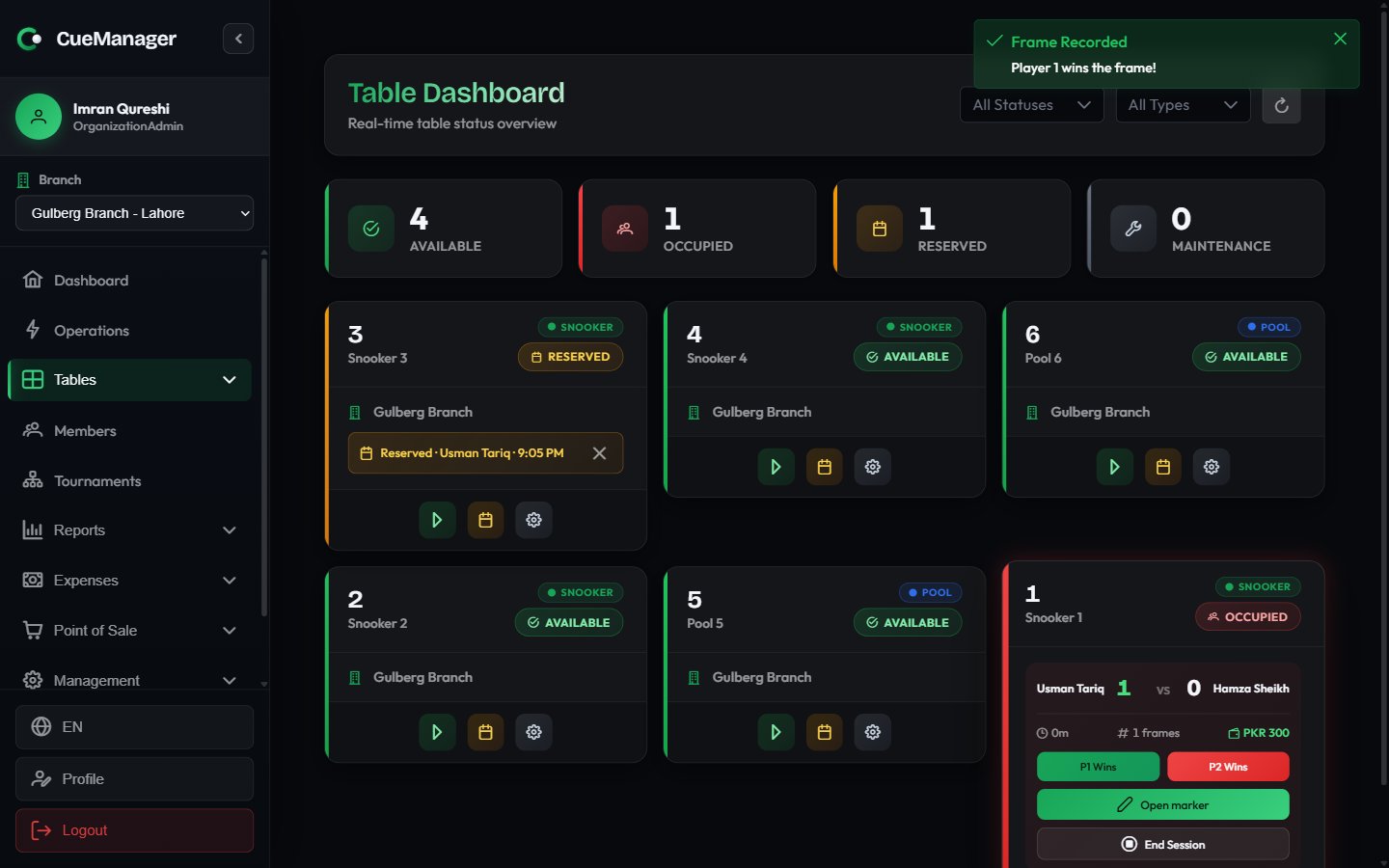
A frame recorded with one tap — the score and running total update immediately
- Frame Finished — a snooker frame scored on the marker. The winner is already known, the dialog shows the final score and high breaks, and you choose Confirm Result to acknowledge it.
- Record Frame Result — a frame the table camera believes has ended, where the winner is unknown. The dialog asks Who won this frame?; pick a player, add an optional note, and choose Record Result. Dismiss closes it without charging anything.
- Frame Still Open — a snooker table the camera has seen racked up while the marker still has the frame open, so nobody pressed End frame. It records nothing and bills nothing: Open Marker takes you to the frame to close it properly, Dismiss clears the prompt if the frame is genuinely still being played. Ending the frame in the marker clears it on its own. See The snooker marker.
Letting players record their own frames
Where a branch has it switched on, the players themselves can record who won each frame from their own phones after scanning the table’s QR sticker. Staff then approve only what the players disagree about. On a table where that is running, the session panel gains:- A pending result chip — who a player says won, a countdown to when it counts, and buttons to approve it now or record it for the other side instead.
- A Player scoring on / off toggle, to take one table back to front-desk recording without changing the club-wide setting.
Correcting a frame
A frame recorded in error — the wrong winner, the wrong table, a rack that never finished — can be struck off with Correct a frame on the running session. Voiding takes the frame off the bill and out of player stats, while the frame itself stays on the record, struck through and with your reason attached, so the correction can be explained later.- It needs the Sessions → Delete permission — a higher bar than recording a frame, because voiding takes money off the club’s bill.
- It works on running sessions only. After checkout the money has been split, tabbed, and receipted; putting that right is a refund at the counter, not a counter decrement.
- If payments have already been taken and the void drops the total below what was paid, the session shows the overpaid amount instead of refusing the correction — at the void, on the session, and at checkout.
A voided frame keeps its number for good, and the frame that follows still counts its table time from when the voided rack ended. A void is a correction to the bill, not a claim that the rack was never played.
Opening the snooker marker
Snooker sessions show an Open marker button. It opens the ball-by-ball scoring screen for the current frame, including the shareable spectator scoreboard. See Snooker scoring.Adding food and drinks
Sales made at the POS can be attached to a running session instead of being taken separately. In the POS terminal, build the cart and charge it to the table — a Chai at Rs 100 goes onto the table the customer is sitting at. At checkout those sales appear under POS Charges (already paid) as informational lines. They are shown so staff can see the full picture; they are not added to the amount due again. To make the drinks payable later instead, put them on a customer tab.When the connection drops
The panel keeps working offline:- Frames you record are saved on the device and marked Saved offline. The score and running total already include them.
- A pending-frames badge on the panel counts anything not yet sent to the server.
- A session whose checkout is queued shows Ending — pending sync, and its buttons are withdrawn so nothing is recorded twice on replay.
Finishing up
When the group is done, choose End Session on the panel. That opens the checkout, covered in Checkout and payments.Related pages
- Starting a session — the start dialog
- Player self-scoring — players recording frames from their own phones
- Snooker scoring — ball-by-ball marking and the spectator screen
- POS terminal — charging items to a table
- Reports — session and table-activity reporting